Where to Buy Crypto: A Clear Look at Platforms, Cards, and Wallets
“Where to buy crypto?” has more than one good answer. You can use an exchange app, a fiat-to-crypto service, a card payment widget, or a gateway that sends crypto to a wallet you control. The big difference is not the button you press. It is who controls the keys after the purchase.
If you’re asking where can I buy crypto , start by sorting these routes into a few plain buckets. There is no single best place to purchase cryptocurrency for everyone, so compare custody, payment methods, fees, supported coins, and location rules before you choose.
Main ways to buy crypto
- An exchange app holds your balance and handles the purchase for you.
- A fiat-to-crypto service connects traditional money to a crypto order.
- A card widget sends the order to a payment partner that provides the crypto.
- A direct-to-wallet service lets you choose the destination wallet yourself.
The Parts of a Crypto Purchase
Every purchase has three layers. One layer supplies dollars, euros, pounds, or another form of traditional money. Another layer handles the buy order. The last layer decides where the crypto lands and who can move it later.
A wallet address is like a house number with a lock built into it. Anyone can send money there, but only the key holder can move it out.
The four main purchase steps
- Choose and secure a wallet or exchange account.
- Connect a bank account, card, or another payment source.
- Pick the asset and amount, then review the quote and fees.
- Confirm the order and check that the crypto arrived.
That last step matters. A purchase may look successful while the wallet, asset, or network is wrong. A blockchain explorer can show the transaction after it is recorded, but it cannot call it back for you.
Complete beginner walkthrough from a seven-year trader
Custodial Accounts and Self-Custody Wallets
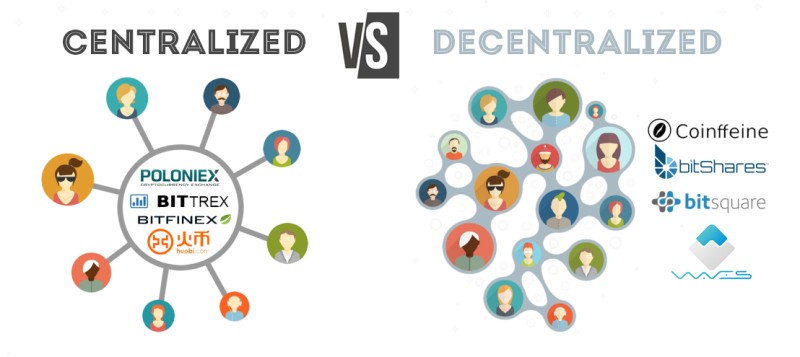
A custodial account is like a bank account for crypto. The provider holds the keys, sends the coins, and decides how withdrawals work. A self-custody wallet gives you control of the keys, but it also makes you responsible for backups, security, and correct addresses.
Questions that separate the two custody types
- Who holds the private key?
- Can the provider freeze or restrict an account?
- Can you export the crypto to another wallet?
- Who handles support if something fails?
- Are trading, spending, and swaps built into the account?
The source names Coinbase, Binance, Gemini, BitGo, and Anchorage Digital as custodial examples. A Coinbase exchange account can fit someone who values a simple interface, while a self-custody wallet can fit someone who wants direct key control. The source does not give enough fee and location data to rank those choices for you.
Custody changes who holds the keys. It does not remove risk. It moves part of that risk to a different place.
Software, Mobile, and Hardware Wallets
Wallets come in a few forms. Software wallets run as apps or websites. Mobile wallets are made for phones. Hardware wallets are physical devices that keep keys away from an internet-connected computer.
Main wallet types
- A software wallet gives broad features and easy access.
- A mobile wallet puts controls and balances on your phone.
- A hardware wallet is built for safer long-term storage.
- Multisignature and paper wallets split control or keep it in a physical form.
The Nash guide presents hardware wallets as a better fit for long-term storage, while software and mobile wallets offer more day-to-day ease. Named self-custody options include MetaMask, Trust Wallet, Safe, Brave, Ledger, D’CENT, and Tangem. Your asset and network must support the wallet you pick.
Funding Methods and Identity Checks
Fiat-to-crypto services need a source of ordinary money. Depending on the service, you may connect a bank account, debit card, credit card, PayPal account, wire transfer, Apple Pay, Google Pay, or a local banking system. A service can support the method while your bank or card issuer still blocks the charge.
Common ways to fund a crypto purchase
- Bank transfer or linked bank account
- Debit card
- Credit card
- Wire, SEPA, PayPal, or Plaid-linked payment
- Apple Pay, Google Pay, or a local payment system
KYC means “Know Your Customer.” It checks your identity and ownership of the money source. The services in the source use identity checks, security controls, and transaction monitoring, but KYC is still debated because it adds a personal step to buying crypto.
The identity check may feel slower than buying a coffee, but it should not be rushed past.
Cards, Prepaid Cards, and Bank Rules
A card issuer can say no even when the exchange or onramp says yes. If you are looking for a credit card for crypto , check the issuer’s rules first. Banks often treat crypto purchases as a special or high-risk charge.
Card choices do not all work the same way
- Credit cards may face higher fees or a decline.
- Debit cards often have broader crypto acceptance.
- Prepaid cards may work only with certain payment partners.
- Virtual cards can be blocked based on the issuer and card network.
- Gift cards usually have the least predictable support.
The BitPay material says Visa gift cards, Vanilla gift cards, and Mastercard prepaid debit cards were among the more common choices in its partner flows. American Express and Discover had weak support. The app and website also used different partner lists, so a card accepted on one route can fail on another.
Approval is only half the cost question. Add card fees, provider fees, exchange spreads, and any network fee. A card purchase can look accepted and still leave less crypto in your wallet than a bank transfer.
Wirex: Exchange and In-App Wallet
Wirex offers a combined route. The source describes an Exchange feature inside its app, plus an in-app wallet that holds purchased crypto. That makes it a custodial option: Wirex controls the keys while the balance remains in the account.
How the Wirex exchange flow works
- Log in and choose the account you will exchange from.
- Open Exchange and set the From account.
- Choose the To account, such as a Bitcoin account.
- Enter an amount and review the asset, accounts, and fees.
- Confirm the order and wait for the balance to update.
The source says Wirex supports more than 150 assets, but the list can vary by country and account type. It does not give one universal minimum or fixed exchange fee, so the quote on the screen is the number that matters. Common mistakes include buying the wrong coin, using “Max” without reading the result, and ignoring 2FA or transaction alerts.
The confirm button is small. A wrong transfer can be very, very big.
Security-first buying guide with exchange and wallet picks
Nash: Self-Custody and Fiat Ramp
Nash takes a different route. It combines a self-custody wallet with a fiat-to-crypto ramp and an exchange. You connect money, complete KYC, choose a token, and send the result to a wallet whose keys you control.
The Nash buying flow
- Choose or create a self-custody wallet.
- Connect a bank, card, PayPal, Plaid, wire, or another supported source.
- Complete identity checks and link the funding account.
- Pick the token, amount, and review the quote.
- Confirm the buy and check the wallet or blockchain record.
The source describes Multi-Party Computation, or MPC, which splits transaction work among several parties so no single party sees all the information. It also names address whitelisting, transaction blocking, and WalletConnect support. Some source pages describe extra banking and Web3 tools, but the legal pages use different entity and registration wording, so check the terms that apply where you live.
BitPay: App, Widget, and Prepaid Cards
BitPay gives you two main routes. You can buy through its app or use an online buying widget. The source says both routes offer more than 60 cryptocurrencies and stablecoins, and both can send the purchase to a self-custody wallet.
App and website flows are not identical
- The app starts with a Buy Crypto button and can use a prepaid debit card.
- The app shows offers from payment partners and sends you to a partner site.
- The website asks for the coin, amount, and destination wallet address.
- The website flow has a stated $50 minimum, while no universal app minimum is listed.
The app partner list and website partner list differ. Simplex and MoonPay may accept some prepaid or virtual cards in one flow, while other partners may not. BitPay recommends Visa or Mastercard prepaid cards, but the issuer can still decline the charge.
A card that works in the app may not work on the website. Check the partner before you enter the card details.
BitPay says its wallet is non-custodial, which means you keep control of the keys. It also says there are no annual costs or added markups, but payment-provider fees and card terms can still apply. Read the final quote instead of relying on a general fee claim.
Topper: Buying Into Self-Custody
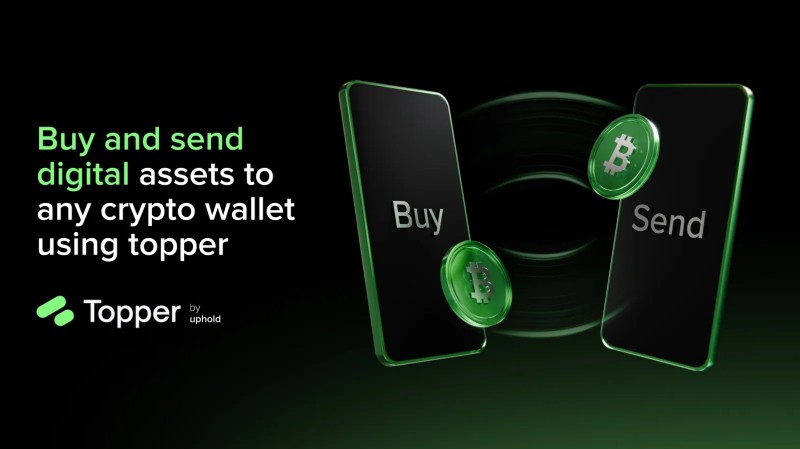
Topper is described as an Uphold brand and a fiat-to-crypto onramp. Instead of making you hold the crypto inside the buying app, it sends the purchased coins to a wallet address you select. The source says more than 250 digital assets are available.
The Topper purchase steps
- Create an account and complete KYC checks.
- Choose a cryptocurrency and amount.
- Add the destination wallet address.
- Choose a supported payment method.
- Submit the order and wait for approval and delivery.
The wallet and network must support the token. The source names Ledger, D’CENT, MetaMask, Trust Wallet, and Tangem as popular choices, and it lists cards, Apple Pay, and Google Pay as payment methods. Debit cards are described as having higher acceptance than the other choices. Topper also states that delivery can take a minute or less after approval, but approval and network checks still matter.
If you mean Ripple by its token XRP, how to buy Ripple cryptocurrency through this route means selecting XRP, entering a compatible destination, and checking the network. The source lists XRP among common purchases through Topper. Always make sure the wallet supports the exact asset you selected.
MoonPay, Transak, Simplex, and Binance Connect
These services sit between your money and a wallet or app. The supplied material gives fee examples, but they are source figures rather than live quotes. A gateway can change its price, supported assets, and location rules, so check the offer inside the service before you pay.
Gateway details from the supplied material
- MoonPay was listed for cards, mobile payment, and bank transfers, with support for assets including BNB, BUSD, BTC, ETH, and XMR. The listed card fee was 4.5% with a $3.99 minimum.
- Transak was listed for BTC, BNB, BUSD, SUSHI, WRX, and DODO. The source gives a 0.5% bank fee, a 3.9% card fee, and a $10 minimum purchase.
- Simplex was listed for payment methods such as Visa, Mastercard, Apple Pay, SWIFT, and SEPA. Its fee depends on the partner and payment method.
- Binance Connect was described as an API-based service that could place purchases inside wallets and apps. The source treated parts of it as planned, so I would not treat it as a live route unless the interface offers it.
A gateway can hide several steps, but it cannot remove the need to check the asset, network, fee, and wallet.
For a first purchase, choose the gateway that supports your country, your payment method, the coin you want, and the wallet network you use. A long asset list is not much help if your card or location is blocked.
Fees, Minimums, Assets, and Regions
Provider counts, minimums, and fees are clues, not promises. The source lists asset counts and fees for several services, but the exact offer can change with the country, account, asset, payment method, and order size.
Source figures to keep in mind
- Wirex says it supports more than 150 assets, with no universal minimum or fixed numeric exchange fee stated.
- Nash does not give a fixed numeric fee in its guide, and its location notices limit some services.
- BitPay says it offers more than 60 assets, a $50 website minimum, and no universal app minimum.
- Topper says it offers more than 250 assets, but no universal minimum or fixed numeric fee in its guide.
- Gateway fees can include card charges, partner fees, bank fees, and spreads between the buy and sell prices.
Before you buy a cryptocurrency , add up the token price, provider fee, card fee, bank fee, and spread. A quote with no listed exchange fee may still contain a spread. That is the difference between the price you see and the amount that actually reaches your wallet.
The token price is only one line on the receipt. The spread is the line that sneaks up beside it.
First-crypto shortcut with three exchange options
Keys, Accounts, and Security
A self-custody wallet gives you control, but control cuts both ways. Your public address can be shared. Your private key signs transactions and moves funds. A seed phrase, often 12 or 24 words, can restore the wallet or transfer its assets to a new wallet.
Security checks before you buy
- Use the service’s legitimate app or website.
- Create a strong, unique password.
- Turn on two-factor authentication.
- Use biometric login and transaction alerts when offered.
- Keep the seed phrase offline and away from internet-connected devices.
- Never share the seed phrase or private key with another person.
Phishing, fake support messages, hacked accounts, and weak passwords can turn a good purchase into a loss. Custodial providers also face cyberattacks, fraud, legal actions, or business failure. Self-custody does not mean every app involved is decentralized; a wallet can still rely on outside services for data or connections.
If anyone asks for your seed phrase, they are asking for control of the money.
Nash’s address whitelist and transaction blocking are wallet-specific tools, not protections that every wallet gives you. Hardware wallets can keep keys away from a connected computer, but they still need sound backups and careful handling.
Network Checks Before You Confirm
The asset and network must match. Bitcoin sent through the wrong network can be lost or stuck. A wallet may support Bitcoin on one network but not another, so a token name alone is not enough. This is why every serious buying route asks you to check the asset and network before approval.
Check these fields on the final screen
- The full asset name and ticker
- The blockchain or token network
- The destination address
- The amount of crypto you will receive
- Every fee and exchange rate
- The payment source and withdrawal account
Once a blockchain transaction is confirmed, it is treated as final. Wirex also says its confirmed buys, sells, deposits, and withdrawals cannot be reversed. A blockchain explorer can help you inspect the transaction, but inspection is not a refund button.
On crypto, a boring final check can stop a very expensive mistake.
Simple Markets, Spreads, and Trade Size
An exchange has buyers and sellers. The order book lists bids to buy and asks to sell. When a bid and ask meet, a trade happens. If you do not understand that page, a simple interface may be safer than a wall of charts and order types.
Market words worth knowing
- A bid is an offer to buy.
- An ask is an offer to sell.
- The spread is the gap between the bid and ask.
- Liquidity describes how easily an order can be matched.
- Price-time priority gives higher buy bids and lower sell asks first place, with earlier orders winning ties.
The source warns that crypto prices can rise and fall hard. It also describes a personal plan where crypto stayed near 2% of a portfolio so it would not take over the rest of the plan. That is one person’s rule, not a rule for you, but it shows why size can matter as much as the venue.
Don’t invest unless you’re prepared to lose all the money you invest. This is a high-risk investment and you should not expect to be protected if something goes wrong.
A clean interface does not remove market risk. It only makes the steps easier to see. For a first purchase, avoid borrowing money, start with an amount you can afford to lose, and do not let a long asset list make a small coin look safer than it is.
Matching a Buying Route to Your Needs
The right route depends on how much convenience you want and how much key control you want to handle. A where can I buy a cryptocurrency search can return dozens of names, but the choice gets much smaller once you decide who should hold the keys.
Routes matched to common needs
- Want the fewest steps? Use a custodial exchange or integrated exchange app.
- Want to pay with a card or prepaid card? Check BitPay or another gateway’s partner list first.
- Want direct wallet control? Look at Topper, BitPay Wallet, or a self-custody wallet route.
- Want a wallet and fiat tools in one place? Compare Wirex and Nash, then check location rules.
- Want BNB or another ecosystem token? Compare MoonPay, Transak, Simplex, or an exchange that supports the network.
- Want advanced trading tools? Use an exchange, but learn the order book and spread first.
Search pages may call Coinbase, Binance, Gemini, BitGo, and Anchorage popular crypto exchanges, but popularity is not a fee comparison. The source gives more detail on Wirex, Nash, BitPay, Topper, and the gateways, yet even those figures need a fresh check at the point of purchase. Pick the route you understand, not the one with the biggest number of coins.
A Plain Purchase Check
Before you confirm a purchase, run this short check. It takes less time than trying to repair a bad address, a wrong network, or a seed phrase exposed to the wrong person.
Final crypto purchase checklist
- Open the service through its legitimate app or website.
- Confirm the full asset name and ticker.
- Confirm the network and destination address.
- Add every fee, spread, and exchange rate.
- Check whether the provider or you controls the keys.
- Check card, bank, identity, and location rules.
- Turn on account security before adding money.
- Use a small amount first if the route or asset is new to you.
Write down the asset, network, address, total cost, and custody type before you tap confirm. If any one of those lines is unclear, stop and ask the service’s support team. A few extra minutes can protect a purchase that cannot be called back.



Comments on “Where to Buy Crypto: A Clear Look at Platforms, Cards, and Wallets”
No comments yet. Be the first to share your thoughts.