Credit Card for Crypto vs Debit: Costs, Rewards, and Buying Tips
Here’s the whole thing on a napkin. A credit card for crypto is usually not a magic card. It’s a regular credit or debit card used as an on-ramp into crypto. You give the card details to an exchange, wallet, or payment company. It charges the card and sends the crypto to an exchange account or wallet.
The easy part is the card. It works like the card in your wallet, so there’s no bank wire to sit around waiting for. The less easy part is everything wrapped around it: identity checks, card limits, fees, exchange rates, issuer rules, and the wallet that will hold the coins.
A crypto-funded debit card runs in the other direction. It connects to a crypto wallet, converts the crypto into dollars or another local currency, and pays a shop as if you used an ordinary Visa or Mastercard. One moves cash into crypto. The other moves crypto into everyday spending.
The four kinds of cryptocurrency cards
The phrase cryptocurrency cards covers a few products that look similar until you follow the money. Knowing which job a card does matters more than the card’s logo or reward rate.
Card types and what they do
- Credit card: Uses a line of credit from a bank. Some crypto trading routes can also give the buyer access to leverage after the purchase.
- Bank debit card: Pulls money straight from a linked checking account, so the purchase is limited by the money in that account.
- Crypto-funded debit card: Connects to a crypto wallet. A processor converts crypto into local money when you make a purchase.
- Crypto rewards card: Works for normal purchases and pays some rewards in crypto rather than giving back all rewards as dollars or points.
So a normal credit card usually helps you buy crypto. A crypto-funded debit card helps you spend crypto after you already own it. A rewards card is not a shortcut to buying more crypto. It rewards purchases you were going to make anyway.
Crypto.com Visa Signature Deep Dive: Tiers, Staking, and the 6% Catch
How a credit card for crypto buys coins
The buy flow is pretty simple on the surface. You open a card-enabled exchange or wallet, choose how much regular money to spend, choose a coin, and confirm the order. The exchange or payment company charges the card. The purchased crypto then appears in your exchange account or goes to your crypto wallet.
That is the real answer to where can i buy a cryptocurrency : through an exchange or wallet with card checkout, or through a payment company such as MoonPay or BitPay followed by a transfer to the wallet where you plan to hold it. The source described card purchases as able to settle within seconds or minutes, but a valid ID was still required.
Why people use a card to enter the market
The appeal is less about crypto magic and more about removing friction. A card is a tool people already know. It can run around the clock, fit inside a phone checkout, and spare you from waiting for a bank transfer or learning a peer-to-peer trade first.
Possible reasons to use a card on-ramp
- Card purchases can settle faster than a traditional bank transfer.
- Credit and debit cards are familiar payment tools.
- Many card routes can run 24/7, including weekends.
- Some cards offer points or cashback on eligible purchases.
- An exchange may offer card checkout inside its mobile app.
- Some credit-card balances can support leveraged crypto trading after the purchase.
A card on-ramp is a doorway, not a vault. The crypto still needs a home after the charge.
The real cost of buying crypto with a card
The card fee is only one part of the bill. Some providers also charge a spread, meaning the price you receive may differ from the market price. Your card issuer may add a cash-advance charge, and buying through an outside service can add a crypto network transfer cost later.
Costs to check before you confirm
- Provider fee: One source placed partner processing charges in a range of about 1% to 4.5%.
- Spread: The quoted fee may include the spread, but you still need to check what the provider says it includes.
- Issuer fee: Some issuers were described as adding roughly 2% to 3% when the crypto purchase is treated like a cash advance.
- Network cost: An outside BTC transfer was put at about $1 to $5 in the source example.
- Minimum and limit: Small minimums can help tiny test buys, while daily limits can block larger purchases.
Fast is not the same as free. Sometimes the quickest route is also the most expensive one.
Sample card fees from the source
One provider comparison gave these sample figures. I’m including them as a lesson in how to read a fee menu, not as a promise that a provider will charge the same amount every time you open its page.
Example purchase terms
- BitMEX through Mercuryo: 2% to 4%, $50 minimum, and a $10,000 daily limit.
- Coinbase: 3.99%, $2 minimum, and a $25,000 daily limit. The source said its spread was included.
- Binance: 1.8%, $10 minimum, and a $50,000 daily limit. The source said higher-volume activity could cost less.
- MoonPay: 4.5% with a stated $3.99 minimum fee, a $20 purchase minimum, and a $20,000 daily limit.
The fixed minimum fee matters most on a small order. If you spend only a few dollars, a fixed charge can eat a large share of the purchase. The source also said verified accounts commonly had daily limits between $10,000 and $50,000, while higher account levels could reach monthly limits above $100,000. Your own menu and card limit decide what you can do.
Credit card or debit card for buying crypto?
Both can send card details to an exchange or wallet, but the money comes from a different place. A credit card uses a bank-backed line of credit. A debit card takes cash from your bank account. That simple difference changes the fees, the balance you need, and sometimes how the issuer treats the purchase.
Credit and debit compared
- Funding: Credit uses an available card balance; debit uses money in the linked checking account.
- Purchase limit: Credit may allow a larger order, while debit is tied to the bank balance.
- Cash-advance risk: Some issuers may charge about 2% to 3% if they treat a crypto purchase as a cash advance.
- Debit fees: The source said debit can cost less because it may avoid that cash-advance charge.
- Rewards: Some credit cards offer points, cashback, or a part of the reward in crypto.
- Leverage: Some credit-card routes can support leveraged trading, while debit draws real bank-account funds.
If you care more about lower card fees and have enough cash in checking, debit is the plain option. If you want rewards and can deal with the issuer’s crypto rules, a rewards credit card may make more sense. Hey, don’t skip the issuer check just because the checkout page accepts the card.
Finder's Australian Roundup: Wirex, Crypto.com, COCA, Jupiter, Bitget Compared
Buying crypto step by step
A BitMEX walkthrough shows how a card purchase works through an integrated provider. The platform used Mercuryo for its fiat on-ramp, though the exact menu and supported assets depend on the service your account can access.
A card purchase checklist
- Create an account on the exchange or wallet site.
- Complete identity verification with the required document and selfie.
- Open the wallet’s “Buy Crypto” area.
- Select the regular currency you want to use, such as U.S. dollars or euros.
- Choose the crypto asset, such as USDT, ETH, or another supported coin.
- Choose credit card, Apple Pay, or Google Pay if those options appear for your account.
- Enter the card number, expiration date, and CVV.
- Review the fee, spread, asset, amount, and delivery speed.
- Confirm the order and check both your exchange account and wallet for the delivered crypto.
The source recommended testing the path with the smallest allowed amount before buying more. Bitcoin buyers could choose “Standard” or “Fast” delivery. A confirmation email from the exchange could arrive quickly, while a second email from the payment provider came after the blockchain transaction was processed.
Direct exchanges, wallets, and outside providers
An integrated route lets you buy inside an exchange and send the crypto straight to that account. An outside provider gives you another marketplace, but you may need to withdraw the crypto afterward. That extra hop can add a network fee and another security step.
Common card and provider routes
- Integrated exchange route: Enter card details inside the exchange and have the crypto credited to its wallet.
- External provider route: Buy through MoonPay or BitPay, then send the crypto to the exchange address.
- Wallet route: Use a wallet that works with a card payment processor and lets you choose the destination asset.
- Wire or cash route: OwlPay offered these as backup methods for people without an eligible card.
That whole exchange-wallet-processor chain is the crypto payment system . Each piece has a job. The card supplies regular money, the provider handles the purchase, the exchange or wallet records it, and the blockchain network may handle the final transfer.
Wallets and other checkout options
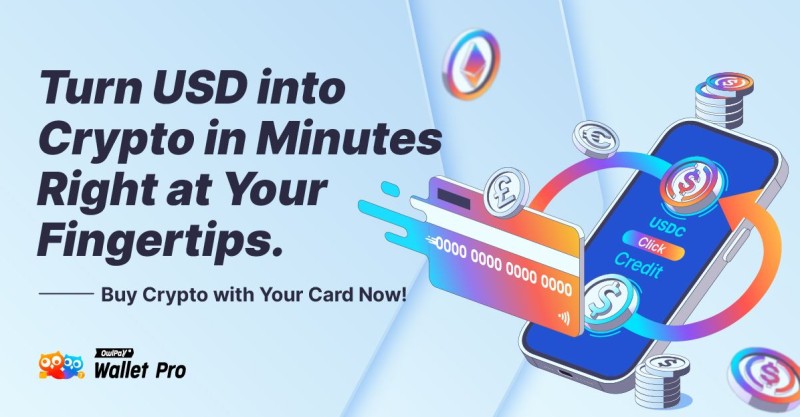
A search for crypto wallets that accept credit cards can turn up wallets that work through a payment partner rather than handling the card themselves. OwlPay Wallet Pro, for example, was described as supporting Stellar, Ethereum, Polygon, Avalanche, Arbitrum, Optimism, and USDC.
Wallet card questions
- Does the wallet accept credit cards directly or through a partner?
- Which assets can I buy, such as USDC or another supported coin?
- Does the payment partner send crypto to my wallet balance or on-chain address?
- Can card purchases run 24/7 for that wallet?
- What happens when my issuer blocks crypto or I do not have an eligible card?
The checkout menu also needs a careful read. The BitMEX walkthrough listed cards, Apple Pay, and Google Pay, but that does not tell you that buy cryptocurrency using PayPal works there. A wallet button can change with your country, account, and provider. The same rule applies to Can I buy crypto with gift cards? A Visa or Mastercard prepaid card may be accepted if the platform and issuer allow it, but a prepaid card is not automatically the same thing as a gift card.
ID checks, card rules, and account limits
Card checkout does not mean “skip the paperwork.” BitMEX used know-your-customer checks, also called KYC. Its described process could include an identity document and a selfie. OwlPay also said buyers needed valid identification even when card checkout was quicker than a bank transfer.
Checks to finish before buying
- Confirm that crypto purchases are allowed where you live.
- Read your card issuer’s rules for digital-asset transactions.
- Prepare the identity document requested by the provider.
- Complete any selfie or higher verification step.
- Check your card spending limit and the provider’s daily limit.
- Turn on transaction alerts for the card and linked bank account.
- Use two-factor authentication on the exchange or wallet receiving the crypto.
A fast purchase route can still be stopped by KYC, an issuer block, or a spending limit.
Why a card purchase can fail
A card can be valid, have money available, and still fail because the issuer does not allow crypto. The exchange may also block the purchase by country, asset, or account limit. A typo in the expiration date or CVV can cause the same sad little result.
Failed transaction checklist
- Check the card’s spending limit.
- Ask whether the issuer blocks cryptocurrency purchases.
- Recheck the card number, expiration date, CVV, billing details, and selected asset.
- Confirm that identity verification and any required selfie are complete.
- Check whether the provider supports your country, currency, card type, and chosen crypto.
- Contact platform support or try another allowed payment route, such as a bank transfer.
One failed card does not prove that every card route is broken. But repeatedly tapping “pay” will not fix an issuer block. That’s one important part, pay attention: check the rule before trying again.
Where the crypto lands after the purchase
Your crypto needs a destination. An exchange account is handy if you plan to trade or withdraw the coins. A software wallet gives you direct control through an app. A hardware wallet can keep long-term holdings offline when you need more separation from online accounts.
Places to hold purchased crypto
- Exchange wallet: Useful for trading and withdrawing assets while the funds stay on the exchange.
- Software wallet: The source named Electrum as an option for faster access.
- Hardware wallet: The source named Ledger as an option for offline, long-term custody.
- Multi-signature wallet: Uses more than one key, which can add another layer of control.
- Seed backup: The recovery phrase needs a safe backup so a lost device does not become a lost wallet.
- Cold storage: Long-term holdings can be moved away from a device used for everyday online activity.
BitMEX also cited tokenized payments, fraud alerts, multi-party computation wallets, insurance, and cold storage as security claims. Those are provider claims, not a magic force field. You still need to protect the account receiving the crypto, confirm the destination address, and keep a working backup route.
How a crypto-funded debit card works

A normal debit card reaches into a checking account. A crypto-funded debit card reaches into a crypto wallet through a payment processor. At checkout, the processor works out how much crypto the purchase needs, takes that amount from the wallet, converts it into the currency the merchant wants, and pays the merchant.
The transaction flow
- The crypto wallet holds an asset such as Bitcoin or another supported coin.
- You pay with the cryptocurrency card at a merchant.
- The processor calculates the crypto needed for the purchase.
- The processor converts that crypto into dollars, euros, or another local currency.
- The merchant receives regular money through the card network.
The coffee shop does not need to accept crypto. It only needs to accept the card while the processor handles the swap.
A Taxbit example described a customer buying coffee at a shop that accepted debit cards but not cryptocurrency. The processor calculated the Bitcoin equivalent, converted it to dollars, and paid the shop. A card using Visa or Mastercard may work at many merchants that take ordinary debit cards, but the provider, asset, and country can still limit service.
Personal Ranking: Crypto.com, Coinbase, Gemini, KAST, Xapo Bank Tested
What a crypto debit card costs
A crypto card may charge no separate fee when you tap it, but that does not mean the purchase is free. The card still has to sell or convert crypto. The provider may charge for that conversion, ATM use, foreign exchange, or a card withdrawal. Price changes between the time you tap and the time the processor completes the swap can also change the final cost.
Possible crypto-card charges
- Conversion or sale fee when crypto becomes local money.
- Foreign-exchange fee, often tied to Visa or Mastercard processing.
- ATM withdrawal fee if the card supports cash withdrawals.
- Card or account fee set by the provider.
- Price movement in the crypto being spent.
- Taxable gain or loss under the tax rules that apply where you live.
The Taxbit source described U.S. crypto as property rather than currency and said spending it could create a taxable event. Its explanation tied the reported gain or loss to the holding period and the difference between purchase price and value at use. Tax rules can change and differ by country, so treat that old description as a reason to check the rules for your own situation, not as a permanent answer.
Can a crypto debit card replace a normal debit card?
It can for some people. If most of your money already sits in crypto, spending from that wallet may feel more natural than making a bank transfer first. But then every purchase depends on the card provider supporting your crypto, your wallet having enough balance, and the conversion price working in your favor.
Signs a crypto card may fit
- You already hold most of your spending money in crypto.
- You accept that each purchase may trigger a conversion or taxable event.
- The card supports the assets and countries you need.
- Your usual merchants accept its Visa or Mastercard network.
- You keep another payment method for outages, blocked cards, or high fees.
A crypto card may replace a normal debit card for everyday spending, but it does not remove the need for judgment. The source warned about places where crypto services face limits. Keep a backup card or cash route, especially if your crypto balance is tied up or the provider stops supporting an asset.
Rewards cards that pay in crypto
Ordinary card rewards can include points or cashback on eligible purchases. A crypto rewards card keeps the normal purchase part but pays part of the reward in digital assets. The reward may look exciting, while the fee table quietly stands behind it wearing a fake mustache.
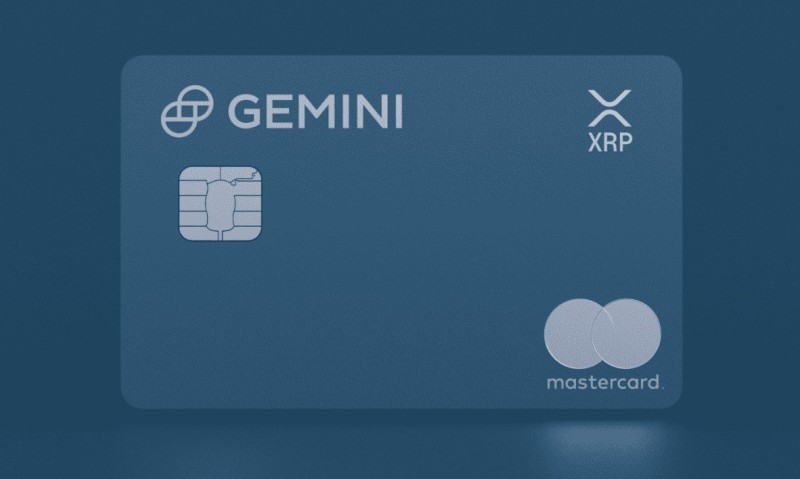
Example Gemini XRP Edition reward rates
- 4% back in XRP on gas, electric-vehicle charging, and rideshare purchases.
- 3% back on dining.
- 2% back on groceries.
- 1% back on other purchases.
- Up to 10% back at selected merchant partners.
The supplied source also described Venmo’s “Cash Back to Crypto” option as allowing rewards in Bitcoin, Ethereum, Litecoin, or Bitcoin Cash instead of dollars or travel points. These are examples from the source, not live offers. Reward rates, eligible products, and available cards can change, so read the terms that apply when you apply and compare them with the card’s fees.
Rewards can be fun. Fee math decides whether they are free money or just a shiny coupon with strings attached.
Country, currency, and issuer limits
The word “global” does not mean every card works everywhere. One source described service across more than 150 countries, with local restrictions and some features limited in certain places. A card issuer can also block crypto even when the exchange accepts cards from that country.
Location checks for a card purchase
- Check where you live and which rules apply to your account.
- Check whether the card issuer permits crypto purchases.
- Confirm that the platform serves your country.
- Make sure your regular currency is supported.
- Check which crypto assets are offered through that route.
- Review daily and monthly purchase limits after verification.
The source listed currencies such as USD, EUR, GBP, CAD, AUD, CHF, BRL, AED, and JPY. It also gave two different partner totals: more than 35 supported fiat currencies in one walkthrough and at least 25 in another. That small mismatch is a useful reminder. The account checkout can tell you what is actually available; a generic fee article cannot.
My plain card-buying checklist
When I compare a credit card for crypto, I use the same order every time: card type, issuer rules, total cost, destination, and security. The reward rate waits at the end, because a big number on a shiny card can’t rescue a bad purchase route.
Compare these points before you buy
- Confirm that your card issuer allows cryptocurrency purchases.
- Check the provider’s country and currency support.
- Complete identity verification before sending funds.
- Compare the provider fee, spread, issuer fee, and network transfer cost.
- Compare the minimum purchase with your test amount.
- Check daily and monthly limits.
- Confirm which crypto assets are supported.
- Choose where the crypto should land before confirming the order.
- Turn on transaction alerts and two-factor authentication.
- Test the route with a small amount and keep a backup payment method.
- Calculate rewards after subtracting every cost.












Comments on “Credit Card for Crypto vs Debit: Costs, Rewards, and Buying Tips”
No comments yet. Be the first to share your thoughts.