What You Can Do With PayPal and Crypto
I want to talk about buy cryptocurrency using PayPal, because it's not as straightforward as it sounds. You've got options, but they're not all equal. Some routes are easy, some are risky, and some cost you more than you'd think. I'm going to walk through what's actually available, what fees look like, and how to keep your purchase safe.
If you're new to this, the big thing to know is that PayPal itself has a crypto hub, but it's custodial. That means you don't hold the keys. You can buy, sell, and hold inside PayPal, but you can't always move the coins out. That's a real limitation if you care about control.
Direct PayPal Purchases
The simplest route is buying crypto straight through PayPal. You log in, tap "Buy Bitcoin and more," pick your asset, and fund it from your balance, bank account, or debit card. Credit cards and PayPal Credit don't work here - PayPal excludes them to reduce failed or reversed transactions.
The minimum start is $1, which is nice if you want to test the waters. But there are limits. A 2021 report documented a $20,000 weekly cap and a $50,000 yearly cap for direct PayPal crypto purchases. These numbers may have changed, so check your account.
The assets available in the U.S. PayPal crypto hub include PYUSD, Bitcoin, Ethereum, Litecoin, Bitcoin Cash, Solana, and Chainlink. Dogecoin is not on the direct list. PayPal can change this list, so older articles may have outdated info.
"Done! You now own cryptocurrency… sort of." - that's how a 2020 walkthrough put it, and the caveat matters. PayPal custody meant you couldn't transfer coins out.
What the 2020 PayPal purchase flow looked like
- Log into PayPal and find the crypto options
- Select "Buy Bitcoin and more"
- Pick your asset from the list
- Enter the amount and hit Buy
- Choose funding source - balance, bank, or debit
- Review the exchange rate and confirm
- Crypto shows up in your PayPal account
The 2020 guide noted that PayPal didn't let you bid on the price. Coinbase, by contrast, could accommodate bids and different order types. That's a real difference if you care about getting a better rate. The guide also strongly suggested beginners stick to Bitcoin or Ethereum, calling other assets "shitcoins" - but that was the guide's opinion, not a PayPal rule.
PayPal's Quick Crypto Purchase Demo
Coinbase and PayPal Linking
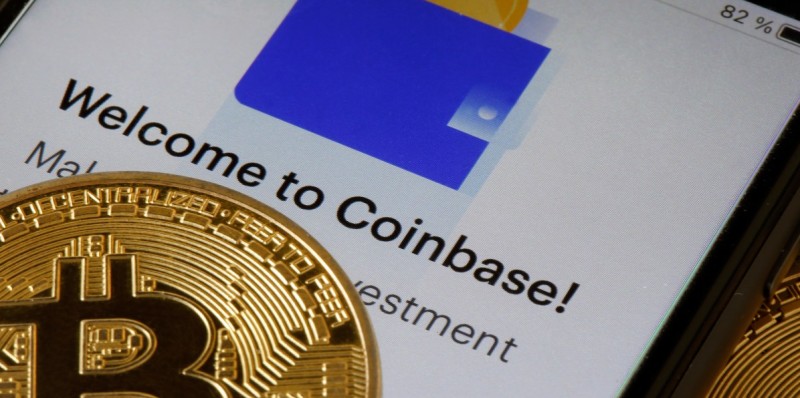
Back in April 2021, Coinbase announced a partnership letting you fund crypto purchases with a PayPal-linked debit card or bank account. The pitch was simple: ACH transfers and wire transfers are slow, and this was faster. "Now you can instantly fund crypto purchases with PayPal in just a few taps," Coinbase said.
To link, you open the Coinbase app, tap "Add a payment method," and pick your PayPal-linked card or bank account. If your email matches on both platforms, it links right away. If not, you go through two-factor authentication.
At the time, the daily spending limit was $25,000. Coinbase had already stopped taking credit cards for crypto, so PayPal-linked funding was a welcome alternative. Cash withdrawals to PayPal worked in the U.S., Canada, EU, and UK, with more countries planned.
"Buying crypto should be simple and easy. However, moving money in the traditional world of finance can be anything but." - Coinbase
The assets named in that 2021 report were Bitcoin, Ethereum, and Litecoin. Dogecoin wasn't available then, and a Coinbase page described it as "a cryptocurrency that was created as a joke." That's a historical quote from a specific moment, not a current rule.
BitPay and MoonPay Route
BitPay offers another path. Their Wallet app and BitPay.com let you buy crypto with PayPal, but the actual payment goes through MoonPay. BitPay showed competing offers from marketplaces, and MoonPay was the only partner supporting PayPal transactions at the time.
In the BitPay Wallet app, you tap Buy, enter the amount, pick your crypto, then select PayPal. BitPay redirects you to MoonPay to enter your PayPal details. After payment confirms, the crypto lands in your wallet. The assets available include Bitcoin, Ethereum, Dogecoin, Litecoin, and over 170 others across major blockchain networks.
BitPay payment methods
- PayPal balance
- Bank transfer
- Connected card
- Credit card
- Apple Pay
- Google Pay
- Venmo
- Instant ACH
BitPay claims no hidden fees, no annual costs, no extra markups. They aggregate offers from partners with competitive rates. A key point: BitPay Wallet is self-custody. You hold the cryptographic keys. BitPay says you own 100% of what you buy. That's different from PayPal's custodial setup.
Official Walkthrough: Buying Crypto in the PayPal App
CoinCola Peer-to-Peer
CoinCola is a hybrid exchange and over-the-counter marketplace. Sellers post ads offering Bitcoin, Ethereum, Dash, and other assets for real money. Some accept PayPal transfers.
The buyer fee is free. Sellers pay 0.7%. The process: register on CoinCola, verify your phone number, do real-name authentication, then go to the OTC section, find a seller with the PayPal icon, and send the transfer. CoinCola was founded in 2016, is Hong Kong-based, and serves millions of users in over 150 countries.
CoinCola described PayPal transactions as traceable and often reversible, which protects buyers but exposes sellers to refund fraud. The article called this PayPal-based Bitcoin purchase "one of the safest available methods" - but that's specific to CoinCola's verification system, not a blanket guarantee.
The PayPal route here is peer-to-peer, not an instant purchase through PayPal's own interface. The safety depends on CoinCola's marketplace record connecting buyer, seller, advertisement, and trade.
Buying Dogecoin With PayPal
Dogecoin isn't directly available through PayPal in the U.S., but you've got workarounds. One route: use PayPal as checkout on a third-party platform that sells DOGE. Another: buy a PayPal-supported crypto like Litecoin, then swap it for DOGE.
The Litecoin route goes like this: buy LTC through PayPal, transfer it to an external wallet like RockWallet, then swap LTC for DOGE. RockWallet recommended Litecoin for the intermediate step because its network fees are lower than Bitcoin or Ethereum. That's the guide's recommendation, not a PayPal requirement.
DOGE purchase routes
- PayPal checkout on a platform offering DOGE
- Buy LTC via PayPal, transfer to wallet, swap to DOGE
- Direct card purchase, skipping PayPal
- ACH bank transfer
- Swap a supported asset into DOGE in a compatible wallet
A direct card purchase can avoid the "double fees" of buying one asset on PayPal and paying a second fee to swap. ACH may be cheaper than card but slower. Availability depends on your location and the provider. A multi-step route can combine a PayPal purchase fee, a Litecoin network fee, and a swap fee.
Fees and What to Watch
No single fee applies to every PayPal-related route. PayPal charges a small crypto transaction fee but no separate holding fee. BitPay claims no hidden fees. CoinCola charges 0.7% for advertising sellers, nothing for buyers.
You need to distinguish between the asset's market price, PayPal's exchange-rate spread, PayPal's transaction fee, and any third-party platform fee. Blockchain network fees and swap fees add up. A quote can differ from the final amount if crypto prices move before you authorize.
The user should distinguish a quoted crypto quantity from a guaranteed quantity after all fees.
The 2022 Zibster article stated PayPal didn't charge a fee for holding cryptocurrency, though a small transaction fee applied when buying or selling. PayPal disclosed the exchange rate and any applicable fee before you paid. The rate included a spread earned by PayPal on crypto purchases and sales.
PYUSD - PayPal's Stablecoin
PYUSD is PayPal USD, a stablecoin issued by Paxos Trust Company in partnership with PayPal. It's designed to stay at $1 per token, backed by U.S. dollar deposits, short-term Treasuries, and cash equivalents. It's regulated by the New York State Department of Financial Services.
PayPal launched PYUSD with Paxos on August 7, 2023. Paxos started publishing monthly reserve reports in September 2023, with third-party validation. The SEC investigated both PayPal and Paxos starting in November 2023. By July 2024, Paxos got a termination notice with no enforcement action recommended. In April 2025, the SEC closed its PayPal investigation with no action planned.
As of April 2025, Coinbase removed fees for buying PYUSD with USD and redeeming USD from PYUSD. This was a joint effort to boost adoption and let merchants settle in PYUSD instead of volatile crypto. PYUSD can be transferred to compatible wallets, used for online payments, international transactions, freelancer payments, and ecommerce.
Crypto Checkout - Paying With PayPal Crypto
PayPal crypto checkout is the reverse of buying with PayPal. You use crypto already in your PayPal account to pay for goods, and the merchant gets U.S. dollars. Supported assets at launch were Bitcoin, Bitcoin Cash, Ethereum, and Litecoin. This was U.S.-only.
To use it, you need a personal PayPal account in the U.S., the PayPal app or digital wallet, and a completed W-9 tax form. The crypto must cover the entire purchase - no splitting with PayPal balance or cards. Merchants using PayPal already get this feature without a special setup. PayPal's fraud, return, and shipping protections apply to crypto payments.
PayPal Crypto Pros and Cons: Fees, Coins, and Limitations
Cross-Border Payments With PYUSD
Traditional cross-border payments are slow and costly. They can take days, pass through multiple correspondent banks, and rack up fees. PYUSD offers near-instant settlement, low transaction costs, and direct global transfers.
The claimed advantages: fast settlement (seconds), low cost (blockchain fees vs. wire fees), extensive reach (compatible wallets worldwide), fewer intermediaries, stable value ($1 per token), and dollar backing (redeemable 1:1 with USD). PYUSD is available on multiple blockchain networks, decentralized finance protocols, and crypto exchanges.
Cross-border use cases for PYUSD
- B2B payments - suppliers and service providers, anytime including outside banking hours
- Direct wallet and P2P transfers - individuals sending PYUSD, reducing exposure to local currency depreciation
- Global payouts - paying freelancers or contractors without traditional currency conversion
Safety Practices
Several safety practices show up across the sources. Don't rush a crypto purchase - urgency is a common scam tactic. Treat your wallet recovery phrase like a master key: write it down, keep it private, never store it digitally or share it.
Verify that a platform supports both PayPal and your desired crypto before starting. Read the final amount, exchange rate, fees, destination wallet, and network fee. Prefer platforms with identifiable order, transaction, or support processes. Never send funds to an address from an unverified message. The FTC warns about cryptocurrency scams - scammers use urgency and fake promises.
Identity Verification Across Routes
Every route involves some form of identity check. Direct PayPal purchases may require PayPal verification before crypto transactions or external transfers. PayPal crypto checkout requires a personal U.S. account, the app or wallet, and a W-9. Coinbase linking uses matching emails or two-factor auth. CoinCola requires phone verification and real-name docs. Third-party PayPal checkout platforms may have separate KYC requirements.
Identity verification helps establish who's participating, but it doesn't remove the risk of price volatility, failed payments, account holds, or crypto scams.
Custody and Control - The Big Difference
The 2020 direct-PayPal walkthrough described PayPal crypto as custodial. The buyer could use the asset inside PayPal but couldn't transfer it to an external wallet. A 2025 RockWallet guide stated PayPal supported external transfers for BTC, ETH, LTC, and BCH - that described a later, asset-specific capability rather than a contradiction of the older account interface.
BitPay's purchase flow provided self-custody. The cryptocurrency could be delivered to a user-controlled wallet address, and BitPay stated the user retained 100% ownership. CoinCola and RockWallet's swap routes required the user to interact with an external wallet if the purchased asset had to be transferred or swapped.
Where you can buy crypto with PayPal - summary
- Directly through PayPal's crypto hub - simple but custodial
- Through Coinbase with PayPal-linked funding - more control, higher limits
- Through BitPay and MoonPay - self-custody, many assets, PayPal via MoonPay
- Through CoinCola P2P marketplace - peer-to-peer, buyer fees free
- Through third-party checkout platforms - varies by location and asset
So where can i buy crypto with PayPal? You've got options. The best place to purchase cryptocurrency depends on what you value: ease of use, control of your keys, asset selection, or low fees. For beginners, direct PayPal is simplest but custodial. If you want self-custody, BitPay or Coinbase are better routes. If you're buying something not on PayPal's list like Dogecoin, you'll need a third-party platform or a swap after buying a supported asset.
If you're wondering where do i buy crypto with the lowest friction, PayPal direct is the answer - but you sacrifice control. If you want the best cryptocurrency exchange experience with PayPal funding, Coinbase and BitPay both support it, each with different trade-offs on fees, limits, and asset availability.
One more thing - don't skip the safety part. Your wallet recovery phrase is the master key to your crypto. If someone gets it, they get your funds. Write it down on paper, store it somewhere safe, and never share it. That one habit can save you from a world of hurt.
This article is for informational purposes only. It's not legal, tax, financial, or investment advice. Crypto involves risk, including possible loss of principal. Provider rules, supported assets, fees, and limits change. Check the current terms before you commit.






Comments on “A Friendly Walkthrough on How to Buy Cryptocurrency Using PayPal Without the Hassle”
No comments yet. Be the first to share your thoughts.