How to Transfer Crypto (Without the Freakout)
I'm gonna show you how to transfer crypto in words that normal humans can understand. You do not need to be some genius in a basement to move your coins from one place to another. I'll walk through the steps for sending between wallets, to a bank, or into cold storage. The big takeaway: stay calm and check the address like twelve times before you hit send, because crypto does not give refunds.
My goal here is to write something that's still useful in five years, so I'm skipping the hype and just giving you the nuts and bolts of each move. When you learn how to transfer crypto the right way, you keep control of your money and avoid the sad mistakes that make people post "I accidentally sent $10k to a scam address" threads. I care about this because once crypto is gone, it's gone like a sock in a dryer.
What Crypto Transfer Really Means (AKA the Part Where We Learn the Lingo)
A crypto transaction is just a transfer of coin from one party to another. There are two broad types you should know about. On-chain transactions happen on a blockchain and get recorded there for all eternity. Off-chain transactions happen outside a blockchain, like on a centralized exchange or some internal ledger they keep in a spreadsheet probably.
Two kinds of moves
- On-chain: gets recorded on the blockchain and signed with your private key.
- Off-chain: handled by a trusted third party, so no blockchain fee (but also no blockchain bragging rights).
- Private keys are what sign and authorize on-chain sends-don't lose them.
- Public address comes from your public key, which comes from your private key (it's turtles all the way down).
A crypto transaction transfers cryptocurrency from one party to another.
When you use a digital cryptocurrency wallet , you're holding the keys that prove you own the coins. That wallet might be software on your phone or a little piece of hardware you plug into your computer. Both private and public keys help encrypt and sign the data when you send something.
Off-chain moves are faster because they skip the whole blockchain validation rigmarole. But they rely on a middleman to keep the books straight. On-chain moves give you recorded, irreversible security guaranteed by the chain itself. I like knowing the difference before I pick a method, because apparently I like to overthink things.
Crypto Casey walks you off the exchange step by step
On-Chain Steps From Send To Done
The typical on-chain flow has some clear stages. You enter the details in a wallet app and click send. Your private key creates a digital signature right then and there. That signing is what proves the send is legit and that you authorized it (and not some hacker in Mongolia).
Stages of an on-chain transfer
- Initiation: you enter details and sign with your private key.
- Broadcasting: the signed transaction goes to the mempool, which is basically a waiting room.
- Validation: validators or miners pull it from the mempool and verify it.
- Block inclusion: the verified tx gets put in a block, and then it's immutable-fancy word for 'can't be undone'.
Signing proves legitimacy.
On Ethereum and other proof-of-stake chains, validators are the ones doing the check work. On Bitcoin and other proof-of-work chains, miners do it instead. Either way, once a block is finalized, the transfer can't be reverted. That's a big deal for safety, because no one-not even you-can undo it later, which is great until you send to the wrong address.
Most wallets combine signing and broadcasting into one step so it feels simple and you don't have to think about it. The mempool is just a waiting room for pending sends. Block explorers like Etherscan show the status as it moves along. I check those explorers when a send seems slow, because I'm impatient.
What Those Fees Actually Are (AKA the Part That Makes You Wince)
Transaction details show sender and receiver addresses plus fee info. The network fee goes to the block producer even if the tx fails-yes, you pay for the privilege of failing. Gas price is the Ethereum network fee (and its layer-2 solutions). It defines the cost of gas spent and can be tweaked by users to speed up a send if they're impatient.
Common transaction statuses
- Pending: broadcast to mempool, waiting for validation.
- Canceled: dropped and replaced by a newer tx.
- Failed: error or not enough gas (the classic oops).
- Executed: completed successfully (hooray).
You can adjust gas price on Ethereum to balance speed versus cost. Block explorers track all this in real time. When I check a transfer, I look at status first and then fee paid. Gas is paid with the native token of the hosting network, so ETH for Ethereum-makes sense.
Layer-2 solutions sit on top of blockchain networks and cut fees a lot. They conduct transactions outside the main chain while still relying on its security. That's a smart way to move small amounts without big cost. I keep an eye on those for routine sends, because I'm cheap.
Moving Crypto Between Wallets And Exchanges (The Everyday Grind)
Practical steps for how to transfer crypto depend on where it's coming from and where it's going. Most wallets apply standard blockchain charges and don't add a profit margin on top. Most exchanges don't charge deposit fees, but withdrawal fees are common as dirt. You may need to specify account details like Bitcoin address vs Ethereum address, because sending BTC to an ETH address is a classic disaster.
Some exchanges split funds into internal accounts. OKEX has a funding account and a trading account you can move between. Binance offers spot, margin, and futures wallets you can transfer between without leaving the site. That internal move is off-chain and quick, like moving money between your own pockets.
Cost notes when moving coins
- Pick correct address type: Bitcoin vs Ethereum-do not mix.
- Ethereum gas varies with congestion, so adjust if needed.
- Some wallets like BitPay let you tweak the network fee.
- Exchange withdrawal fees differ, so watch them like a hawk.
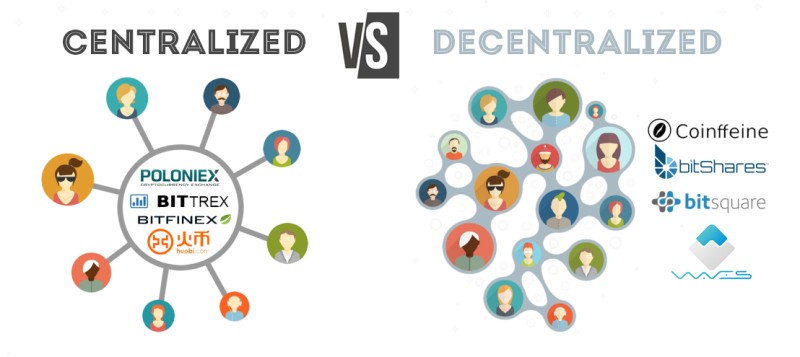
Using centralized services removes tx fees but adds withdrawal or trading fees. Your funds sit with the custodian, not just you-they hold the keys. With a non-custodial wallet, only you control the private key. I weigh convenience against control each time, usually grumbling either way.
Ways To Cut Transfer Costs (So You Don't Cry)
Nobody likes high fees. There are simple ways to save when you transfer crypto. One is arbitrage between exchanges-buy low sell high across venues-but that carries market volatility risk, so do thorough research before you try it, or just don't.
Tips to reduce transfer costs
- Arbitrage: move funds between exchanges for lower cost, but risks.
- Off-peak timing: send when network quiet, weekends often cheaper.
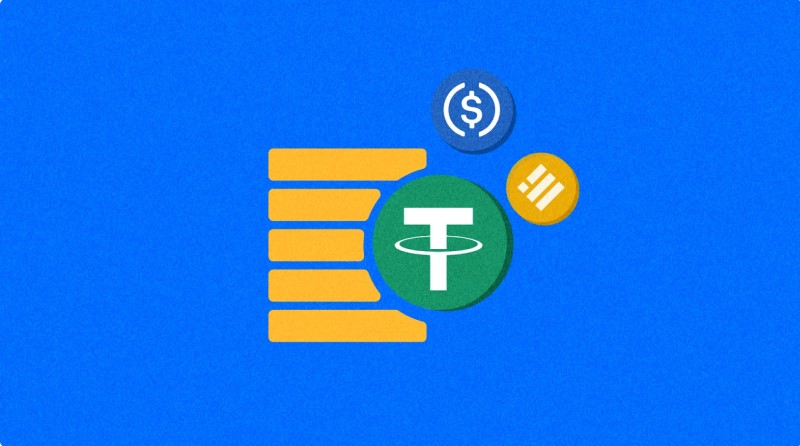
- Stablecoins: USD-pegged coins avoid bad exchange rates, fee few cents.
- Zero-fee platforms: Robinhood no trade fee, but check withdrawal fee.
Using a USD-pegged stablecoin avoids unfavorable exchange rates.
I often use stablecoins for small moves because the fee is about one or two cents no matter the amount. That beats wild gas spikes on busy days. A reputable crypto wallet will show you the fee before you sign so no surprises.
Off-peak hours mean low activity, like when North American users are asleep. Sending then extends confirmation time less and saves money. Some zero-fee platforms still charge funding or withdrawal fees, so read the fine print. I compare the whole fee structure, not just the headline, because I'm a nerd.
Sending crypto to a Ledger Flex cold wallet for beginners
Using Bitcoin ATMs For Cash (The Glowing Box On The Corner)
Bitcoin ATMs give a physical way to buy or sell with cash. They have a QR scanner for secure address entry. A dispenser spits out cash after a sell, and an invoice acceptor takes cash for a buy. Limits are usually small, so good for minor amounts only-like a candy bar sized crypto move.
These machines are not for big transfers. If you need to know how to transfer crypto to cash quick, an ATM works but the fee can be high enough to make you wince. Check the machine's deposit and withdrawal limits first. I see them as a last resort for pocket money, when I absolutely need physical dollars.
How To Pick An Exchange (Without Getting Burned)
When selecting an exchange, review a few things. Make sure it supports the coin you send and the one you want to receive. Fees for deposit, withdrawal, and trading can differ wide-like, suspiciously wide. Payment methods matter too; some take bank, some take cards.
What to review on an exchange
- Supported assets: both send and receive coins.
- Fees: deposit, withdrawal, trading can vary.
- Payment methods: bank, credit, others.
- Security: 2FA, cold storage of funds, good track record.
I look for cold storage of user funds and two-factor auth. That tells me they take safety serious. A safest online crypto wallet feature on an exchange is a plus but remember they hold custody of your coin while it's there. You're trusting them until you move out.
Platforms like Swapin and Banxa show that some services link directly to banks. Always check if the exchange works in your region and with your bank. I read user feedback before signing up, because the internet loves to complain and that's useful here.
Getting Crypto To Your Bank Account (Fiat At Last)

Converting to fiat is a common need-sometimes you just want normal money. Swapin lets you connect a Web3 wallet like MetaMask and send to bank. Steps: click connect wallet, pick MetaMask from list, authorize, finish tx. It's licensed in Europe for BTC, ETH to EUR or other fiat.
MetaMask has over thirty million monthly active users, so it's a widely used Web3 wallet. Swapin only shows supported assets after you connect, which keeps the process clean and clear for a regular person who doesn't want to think.
Banxa via NiceHash gives a sell workflow with many steps. You log in, toggle sell, enter amount, pick fiat like EUR or AUD, add bank, do KYC with ID and selfie, then wait. The Bitcoin goes to Banxa in about fifteen to twenty minutes, fiat arrives in one to two days-slow but it works.
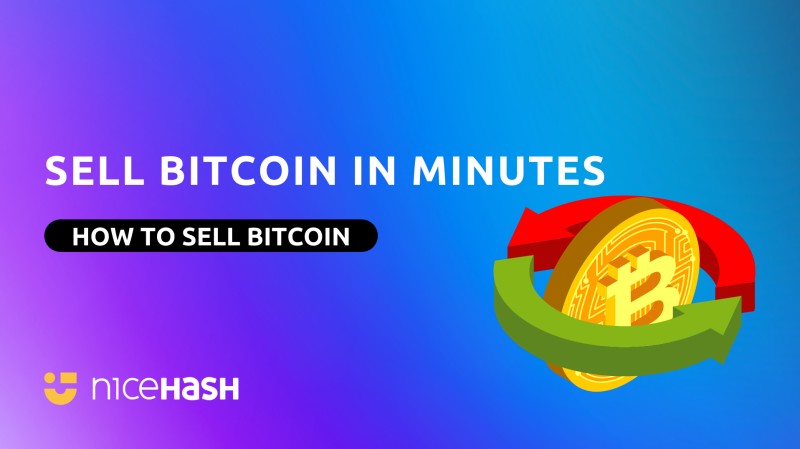
This is one clear path for how to transfer crypto from MetaMask to your bank. The fiat shows up in about one or two days after the Bitcoin is sent. Keep your ID ready and bank details correct. I like that the order summary shows pending until done, so you know it's not ghosted.
PayPal Venmo And ENS Names (Finally, Something Readable)
Ethereum Name Service (ENS) now works inside PayPal and Venmo. You can type a human-readable name instead of a long string of gibberish. The system resolves it to wallet address and shows both during the flow. That cuts paste errors big time, because copy-paste is where dreams go to die.
ENS perks in PayPal Venmo
- Enter ENS name in search field for transfer.
- Name and address stay visible to reduce errors.
- Address Book feature saves frequent addresses.
- Both ENS and plain addresses can be saved.
The ENS name and its associated address remain visible, giving users clarity and reducing the risk of errors.
This makes how to transfer crypto less scary for new folks. I like that the address book recalls recently used addresses. A free crypto wallets list might include these apps for daily use because they hide the ugly strings. Still double check the resolved address.
The integration supports broader mainstream adoption of digital assets. Novice users get a friendlier screen. Experienced users save time. I think any tool that shows the name and address together is a win, because my brain is not built for 42-character hex.
Crypto In A Trust For Later (Because Death Comes For Us All)
Crypto shows up in estate plans now, because apparently we need to plan for who gets the magic internet money. The IRS treats it as property, not cash. The cleanest move is to own the coin in a trust where possible. Some platforms allow trust-owned accounts, others let you convert an individual account with docs.
Options for trust ownership
- Trust-owned accounts on custodial platforms if supported.
- Self-custodied wallets titled in trust name via new wallet.
- LLC owned by trust for complex holdings.
- Access-focused planning when transfer not possible.
If the platform doesn't support trust ownership, beneficiary designations may not solve it. I'd check the exact trust name matches account registration. A digital cryptocurrency wallet used for trust should be named clearly in internal records and added to asset schedule.
For self-custodied coins, you can create a new wallet designated for the trust and move coins there. The blockchain doesn't record legal title but your docs do. Hardware wallets can be given to trustee or stored safe with access rights. Consistency is key so the trust can show ownership later, otherwise your heirs will be sad.
When You Can't Move Title, Plan Access (The Practical Backup)
Some wallets don't allow ownership changes. Then the plan must guarantee access, not title. The hard rule: if no one can access it, no one inherits it. Courts can't compel wallet access and platforms can't reset private keys-they just shrug.
Practical access strategies
- Secure Instruction Letter: tells trustee what exists, where keys stored, no raw keys.
- Hardware Wallet Transfer: give device to trustee or secure storage.
- Encrypted Password Managers: emergency-access vaults.
- Loose Notes: never use, destined to fail.
If no one can access it, no one inherits it.
For cold storage, a most secure hardware wallet can be passed physically. The trustee should be authorized in writing to possess it. I keep my own notes in a password manager with trusted contact feature so my kids could get access if needed.
A secure instruction letter should identify platforms, wallets, devices, and where credentials are stored securely. It must not contain private keys or seed phrases directly-that would be insane. Instead it points to the secure system that controls access. That balances privacy and real world need, which is the whole point.
Jake Claver on moving crypto to cold storage the careful way
Why Cold Storage Matters (Or: Don't Leave Your Coins On The Exchange Like A Rookie)
Keeping coins on exchanges is risky, like leaving your cash in a stranger's wallet. Celsius halted withdrawals in June 2022, freezing roughly twelve billion in investor money. Mt. Gox was hacked back in 2014, with eight hundred fifty thousand Bitcoin stolen, case dragged on for years. These show custodial points of failure, aka 'why we don't trust strangers'.
Self-custody reduces counterparty risk.
Surveys show millions own Bitcoin, so mainstream use is real. One survey found about twenty-two percent of U.S. adults owned Bitcoin. Another report estimated over twenty-one million people own cryptocurrencies. Moving to cold storage gives you control and cuts exchange hack exposure, which is just smart.
That's why I lean to hardware for big holdings. Exchange freezes can lock you out with no recourse. Self-custody means only you hold the key. It's more work but peace of mind is worth it, because I like sleeping at night.
Setting Up A Hardware Wallet (The Thing That Looks Like a USB)
A hardware wallet keeps private keys offline, which is the whole point. Trezor Model T is a common pick. You unbox, connect, install suite, set PIN, write recovery seed. Then withdraw from exchange to its address and confirm on device-simple until you lose the seed.
Trezor Model T setup steps
- Unbox and connect to computer.
- Install Trezor Suite desktop software.
- Set strong PIN and write recovery seed offline.
- Withdraw from exchange to Trezor public address and confirm.
People ask how does trezor wallet work and it's simple: it signs tx inside device, never exposes key to computer. For the best cold wallets for cryptocurrency , compare a few models. The ngrave crypto wallet and d cent cold wallet are other options I've read about. Some even compare arculus vs tangem wallet for ease of use and shape.
The Trezor Suite shows the send on screen so you verify before approve. A typical transfer from BlockFi to Trezor works smooth if address copied right. I always send a small test amount first when moving large sums. That habit has saved me once or twice, from my own stupidity.
Keeping Keys Safe And Sound (Don't Screw This Up)
Best practices for cold storage are plain. Store recovery seed in fire-proof spot, never digital-no, not in a screenshot. Use strong PIN. Verify tx details on device and software before signing. Keep firmware updated against known bugs, because hackers are bored.
Cold storage best practices
- Store seed secure, fire-proof, not digital.
- Use strong unique PINs, enable biometrics if any.
- Verify transaction on device and companion app.
- Keep firmware updated against known bugs.
For larger stacks, multi-signature wallets add layers. A most secure hardware wallet plus multi-sig is solid. I also make two seed backups in separate places like home and safe deposit. That's just common sense against fire or loss.
Consider multiple backups but keep them separated. Never store seed in cloud or email. If you use a password manager, make sure it's encrypted and has emergency access. The point is your trustee can gain access only upon incapacity or death, not before-otherwise that's awkward.
Staying Safe With Crypto Moves (The Final Boss)
Extra tips: enable 2FA on all exchange accounts. Keep records of every transfer for tax, because the IRS wants its cut. Never share private keys or seed phrases. Use escrow on P2P if offered. Watch for scams that ask for your keys-if they ask, it's a scam.
Security and compliance notes
- Regulatory compliance: track dates, amounts, fees.
- Tax reporting: establish cost basis, track history.
- Security: 2FA, hardware keys, audit balances.
- Scams: complete tx on platform, never share keys.
Always complete transactions on the platform where the counterpart is present, use escrow where offered, and never share private keys or seed phrases.
When you learn how to transfer crypto with these habits, you avoid most dumb mistakes. A safest online crypto wallet still needs your care because phishing exists. I keep a free crypto wallets list for friends who ask, but I tell them the brain is the weakest link.
Tax rules treat crypto as property, so track cost basis and valuation. Trustees must establish basis, track history, determine value. Documentation is as critical as access itself. I write things down in a simple sheet so future me or family can follow, because future me is forgetful.





Comments on “A Plain-English Guide to How to Transfer Crypto Safely (Even If You're Clueless)”
No comments yet. Be the first to share your thoughts.